MFS
Участник
- Сообщения
- 1,533
- Реакции
- 788
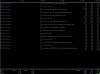
Предположим вам требуется продвинутый контроль сетевого траффика. К примеру, нужно увидеть конкретную ситуацию по определенному порту, кто к нам пришел, сколько принес, сколько унес.
Для этого ставим утилиту iftop. Обращаю внимание, требуется рут. Под пользователем работать не будет.
Установка
apt-get install iftop
Запускаем для определенного порта
iftop -i eth0 -f "dst port 27016"
По клавише h получаем помощь
q
Host display: General:
n - toggle DNS host resolution P - pause display
s - toggle show source host h - toggle this help display
d - toggle show destination host b - toggle bar graph display
t - cycle line display mode B - cycle bar graph average
T - toggle cumulative line totals
Port display: j/k - scroll display
N - toggle service resolution f - edit filter code
S - toggle show source port l - set screen filter
D - toggle show destination port L - lin/log scales
p - toggle port display ! - shell command
q - quit
Sorting:
1/2/3 - sort by 1st/2nd/3rd column
< - sort by source name
> - sort by dest name
o - freeze current order
iftop, version 1.0pre2
Для этого ставим утилиту iftop. Обращаю внимание, требуется рут. Под пользователем работать не будет.
Установка
apt-get install iftop
Запускаем для определенного порта
iftop -i eth0 -f "dst port 27016"
По клавише h получаем помощь
q
Host display: General:
n - toggle DNS host resolution P - pause display
s - toggle show source host h - toggle this help display
d - toggle show destination host b - toggle bar graph display
t - cycle line display mode B - cycle bar graph average
T - toggle cumulative line totals
Port display: j/k - scroll display
N - toggle service resolution f - edit filter code
S - toggle show source port l - set screen filter
D - toggle show destination port L - lin/log scales
p - toggle port display ! - shell command
q - quit
Sorting:
1/2/3 - sort by 1st/2nd/3rd column
< - sort by source name
> - sort by dest name
o - freeze current order
iftop, version 1.0pre2